

Introduction: The Evolution of Modern Tablets
The tablet market has changed dramatically over the past few years.
What was once considered a simple middle ground between a smartphone and a laptop has evolved into a category of powerful personal computers capable of handling everything from entertainment and gaming to professional design, video editing, studying, business, and artificial intelligence. If you are exploring how modern hardware trends intersect with software, you can read more on My Tech Hub alongside industry reports on The Verge.
In 2026, buying a tablet is no longer simply about choosing the device with the biggest screen or the newest processor. The best tablet for one person may be completely wrong for another.
A student may need an affordable tablet with excellent battery life, a comfortable display, and reliable note-taking capabilities—similar to the organizational tools discussed in The Ultimate Student Tech Stack: How AI, Cloud Tools, Smart Software are Reshaping Education in 2026. A professional might want a powerful iPad with desktop-class performance, matching the hardware insights found on TechCrunch. An Android user may prefer Samsung’s multitasking features and S Pen, while a gamer could prioritize refresh rate and sustained performance, and someone shopping for children may care more about durability, parental controls, and price.
So, what is the best tablet to buy in 2026?
For most people, the Apple iPad Air with M4 is one of the safest all-around choices because it offers a strong combination of performance, portability, software, accessories, and long-term usability. For professionals who want maximum performance, the iPad Pro with M5 is the premium choice. Android users should look closely at the Samsung Galaxy Tab S11 Ultra, while buyers who want a massive new flagship Android experience can also consider Samsung’s newly introduced Galaxy Tab S12+ and S12 Ultra. For additional device breakdowns, visit My Tech Hub Reviews and hardware databases on Wired.
Best Tablets to Buy in 2026 at a Glance
Before getting into the detailed recommendations, here’s a quick look at the tablets that deserve attention this year.
| Tablet | Best For | Main Strength | Software | Overall Value |
|---|---|---|---|---|
| iPad Air M4 | Most people | Performance and versatility | iPadOS |  |
| iPad Pro M5 | Professionals | Extreme performance and display | iPadOS | |
| Samsung Galaxy Tab S11 Ultra | Android users | Huge AMOLED display and multitasking | Android | |
| Samsung Galaxy Tab S12 Ultra | Premium Android users | Large display and flagship hardware | Android | |
| Samsung Galaxy Tab S10 FE+ | Students and families | Battery life and value | Android | |
| iPad mini | Portability | Compact premium experience | iPadOS | |
| OnePlus Pad Lite | Budget buyers | Affordable everyday performance | Android | |
| Amazon Fire HD 10 | Basic users | Low price | Fire OS | |
| Gaming-focused Android tablets | Mobile gamers | High refresh-rate displays and performance | Android | |
There is no single tablet that wins every category. The right choice depends heavily on what you intend to do with it, echoing strategies found in Google Search Tricks That 99% of People Don’t Know.
| Happy Every time | 07:38 (11 hours ago) | ||
to me | |||
Tablet Estimated Pricing Guide (2026 Market Estimates)
To help you plan your budget, here is a reference table outlining estimated retail price ranges for the top tablets discussed in this guide:
| Tablet Model | Storage / Configuration Tier | Estimated Price Range (USD) |
|---|---|---|
| Amazon Fire HD 10 | 32GB (Base) | $130 – $160 |
| OnePlus Pad Lite | 128GB | $220 – $280 |
| Samsung Galaxy Tab S10 FE+ | 128GB / 256GB (with S Pen) | $500 – $650 |
| iPad mini | 128GB | $499 – $599 |
| iPad Air M4 | 128GB / 256GB | $599 – $799 |
| Samsung Galaxy Tab S11 Ultra | 256GB | $1,099 – $1,299 |
| iPad Pro M5 | 256GB / 512GB (OLED) | $999 – $1,499+ |
| Samsung Galaxy Tab S12 Ultra | 512GB / 1TB (Flagship) | $1,199 – $1,399+ |
1. Apple iPad Air M4 — Best Tablet for Most People
If you want one tablet that can comfortably handle entertainment, school, work, creative applications, web browsing, gaming, video calls, and general everyday use, the iPad Air M4 is arguably the easiest recommendation.
It occupies an important position in Apple’s lineup.
The iPad Pro is more powerful and has a superior display, but it is significantly more expensive. The standard iPad is cheaper but isn’t designed for users who want the best balance of performance and premium features.
The iPad Air sits between them.
And in 2026, that middle position makes a lot of sense.
Why the iPad Air M4 is Such a Strong Choice
The biggest advantage is the combination of Apple’s M-series processor and iPadOS.
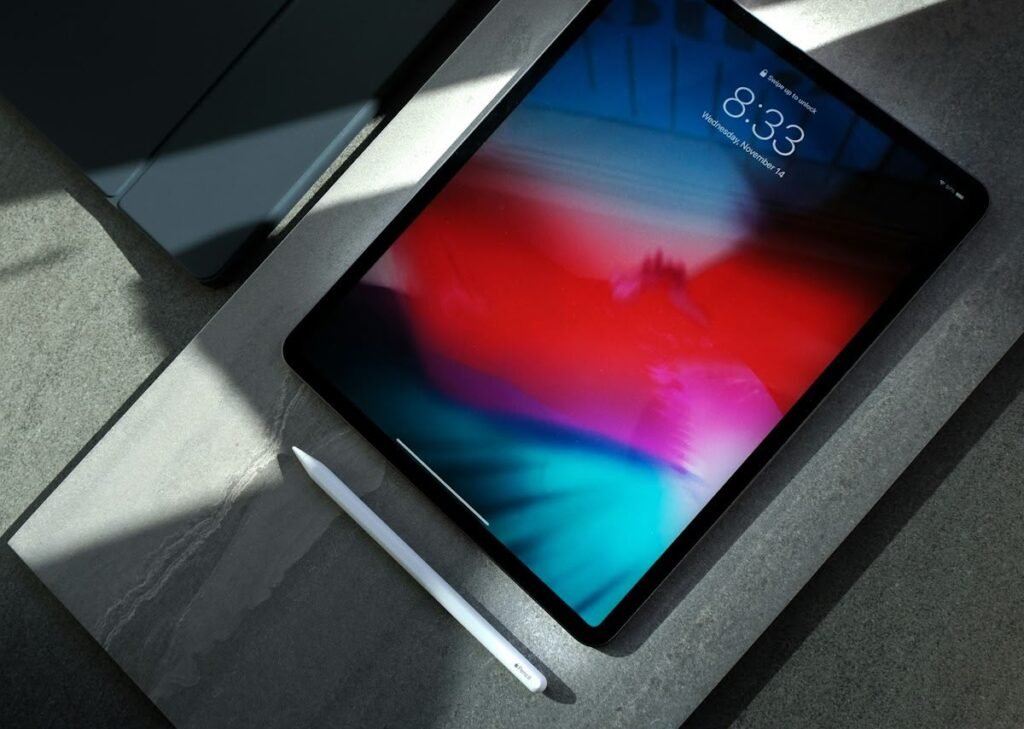
The M4 chip gives the iPad Air considerably more performance than most people will ever need for ordinary tablet tasks. Web browsing, document editing, photo editing, multitasking, streaming, gaming, and productivity applications are all handled comfortably.
That headroom also makes the device more future-proof.
A tablet isn’t something most people replace every year. If you’re spending serious money on a device, you want hardware that can remain responsive for several years.
The iPad Air also benefits from Apple’s enormous tablet application ecosystem.
This is particularly important.
Android tablets have improved significantly, but iPadOS still has an unusually strong collection of tablet-optimized applications for creative professionals, students, musicians, designers, writers, and business users.
Display Options
The iPad Air is available in different sizes, allowing users to choose between portability and workspace.
The smaller option is easier to carry around and feels more natural for handheld use. The larger version provides additional screen real estate for multitasking, document editing, drawing, and watching movies.
For students, the larger model can also make split-screen note-taking considerably more comfortable.
Apple Pencil Support
If you’re buying a tablet for handwritten notes or drawing, Apple Pencil support makes the iPad Air considerably more attractive.
Students can write notes directly on lecture slides, annotate PDFs, draw diagrams, and organize handwritten material.
Creative users can use compatible applications for illustration, graphic design, photo editing, and digital art.
Who should buy the iPad Air M4?
Choose the iPad Air if you:
- Want the best overall balance
- Use an iPhone or Mac
- Need strong performance
- Want a tablet for school and work
- Plan to use a stylus
- Want access to high-quality tablet applications
- Play demanding games
- Want a device that should remain useful for years
Who should skip it?
You may want something else if:
- You need a very large screen
- You want a desktop-style operating system
- You specifically prefer Android
- Your budget is extremely limited
- You want the absolute best display Apple offers
For most people, however, the iPad Air M4 is an exceptionally safe purchase.
2. Apple iPad Pro M5 — Best Premium Tablet in 2026
If money isn’t your biggest concern and you simply want one of the most powerful tablets available, the iPad Pro with M5 is the obvious premium contender.
Apple’s M5 iPad Pro combines a high-end Apple silicon processor with a premium OLED display, extremely thin hardware, fast connectivity, and professional software support.
Apple notes that the M5 introduces major gains in AI and graphics performance compared with previous generations, including a new GPU architecture with Neural Accelerators and improved ray tracing. You can also explore how mobile silicon is tracked on Engadget.
This is not simply a tablet for checking email.
It is designed for users who want serious computing power in an extremely portable form factor.
Why the iPad Pro M5 Stands Out
The first thing you notice is the display.
The Ultra Retina XDR display is one of the biggest reasons to consider the Pro instead of the Air. It is particularly impressive for HDR video, photography, graphic design, illustration, and professional creative work.
The M5 processor is the other major selling point.
For everyday browsing and streaming, you won’t notice the full advantage of M5. But demanding workloads can benefit significantly.
Think:
- 4K video editing
- 3D rendering
- Professional illustration
- AI workloads
- High-end gaming
- Large creative projects
- Multitasking
- Professional photography
- Complex documents
Apple’s current iPad Pro comes in 11-inch and 13-inch configurations, with storage options extending up to 2TB.
The Biggest Problem: Price
The iPad Pro M5 is expensive.
And once you add a keyboard and Apple Pencil, the total cost can move into laptop territory very quickly.
That raises an important question:
Do you actually need an iPad Pro?
For most users, the answer is no.
The iPad Air delivers much of the everyday experience for significantly less money.
But if you’re a professional creator or simply want the most powerful iPad available, the Pro is difficult to beat.
3. Samsung Galaxy Tab S11 Ultra — Best Android Tablet
For Android users, Samsung remains one of the strongest choices in the tablet market.
The Galaxy Tab S11 Ultra is a huge premium Android tablet designed around a massive AMOLED display, high-end performance, multitasking, and Samsung’s DeX desktop-style environment.
It is a very different product from the iPad mini or standard Android tablets.
This is a tablet designed to feel like a workstation.
Massive AMOLED Display
The Galaxy Tab S11 Ultra features an enormous display that makes it particularly attractive for:
- Movies
- Gaming
- Digital art
- Video editing
- Multitasking
- Presentations
- Productivity
- Reading large documents
The 120Hz AMOLED panel makes scrolling and animations feel smooth, while the large size provides plenty of workspace.
Recent testing has positioned the Galaxy Tab S11 Ultra as one of the strongest Android tablet options, although Android’s professional creative software ecosystem still doesn’t match Apple’s iPad platform in some areas, backed by reviews on CNET.
Samsung DeX
DeX is one of Samsung’s biggest advantages.
Instead of using Android purely as a mobile operating system, DeX can create a desktop-like interface with resizable windows, multiple applications, taskbars, and a more traditional computer workflow.
If you regularly connect your tablet to a keyboard and mouse, DeX can make the Galaxy Tab feel much closer to a lightweight laptop.
S Pen Included
Samsung also has an important value advantage.
The S Pen is included with many premium Galaxy Tab models, whereas Apple’s stylus accessories are generally purchased separately.
For students and artists, this can make a noticeable difference in the total cost.
Who should buy the Galaxy Tab S11 Ultra?
It is ideal for:
- Android users
- Samsung ecosystem users
- Artists
- Students
- Multitaskers
- People who want a massive screen
- People who like desktop-style interfaces
- Users who want an included stylus
The main disadvantage is obvious:
It’s huge.
The enormous display is fantastic at a desk, but less convenient when you’re lying in bed or carrying the device around all day.
4. Samsung Galaxy Tab S12 Ultra — The New Premium Android Option
Samsung has also introduced its next-generation Galaxy Tab S12 lineup in 2026.
The S12 series includes the Galaxy Tab S12+ and Galaxy Tab S12 Ultra, with the Ultra positioned as the flagship model.
The S12 Ultra features a 14.6-inch 120Hz AMOLED display, MediaTek Dimensity 9500 processor, configurations reaching up to 16GB of RAM and 1TB storage, IP68 protection, and an included S Pen.
That makes it one of the most ambitious Android tablets available.
Performance
The Dimensity 9500 provides flagship-level mobile processing power, while the large RAM configurations make the tablet well suited to demanding multitasking.
For users who want Android but don’t want to compromise on premium hardware, the S12 Ultra deserves serious consideration.
Display
The 14.6-inch AMOLED panel is the star of the show.
Watching movies on this screen can feel remarkably close to using a portable entertainment display.
Creative professionals can also benefit from the huge workspace.
S Pen
Samsung continues to include its S Pen with the premium Galaxy Tab experience.
That makes the tablet immediately useful for handwritten notes, digital art, document annotation, and other stylus-based workflows.
One Important Consideration
The S12 Ultra isn’t necessarily the best-value Android tablet.
Its flagship price means that previous-generation Samsung models can sometimes make more financial sense if you don’t need the latest processor.
So if you’re shopping strictly based on value, don’t automatically assume that the newest tablet is the smartest purchase.
5. Samsung Galaxy Tab S10 FE+ — Best Value Samsung Tablet
Not everyone needs a $1,000-plus tablet.
For many students, families, and everyday users, the Galaxy Tab S10 FE+ makes much more sense.
It offers a large display, strong battery performance, an S Pen, and enough processing power for everyday applications without entering ultra-premium pricing.
Current testing has highlighted the S10 FE+ as one of Samsung’s strongest choices for mainstream users, particularly because of its combination of display quality, battery life, and included stylus.
Why it makes sense
Imagine a student who wants to:
- Take handwritten notes
- Watch YouTube
- Attend online classes
- Read PDFs
- Browse the web
- Use Microsoft Office
- Make presentations
- Draw occasionally
- Play casual games
There is little reason for that person to spend premium iPad Pro money.
The S10 FE+ covers these tasks very comfortably.
Best for students?
Absolutely.
The included S Pen is particularly valuable for students.
Instead of carrying notebooks, textbooks, printed slides, and folders, students can consolidate much of their academic workflow into one device.
6. iPad mini — Best Small Tablet
Some people don’t want a huge tablet.
They want something that fits comfortably into one hand and can be carried everywhere.
That’s where the iPad mini remains compelling.
Its compact size makes it fundamentally different from large tablets.
It is excellent for:
- Reading
- Traveling
- Gaming
- Digital comics
- Note-taking
- Browsing
- Navigation
- Casual entertainment
- Portable work
The current iPad mini combines a compact 8.3-inch display with Apple’s A17 Pro chip, making it considerably more powerful than its small size might suggest.
Why choose a mini?
Because portability matters.
A huge 14-inch tablet may be spectacular on a desk, but it isn’t something everyone wants to carry everywhere.
The mini can slip into smaller bags and is much easier to hold while standing.
For frequent travelers, that difference can be surprisingly important.
The downside
The screen is simply smaller.
If you want to replace a laptop or use multiple windows simultaneously, the mini isn’t the right tool.
But if you want a premium pocket-sized tablet, it’s one of the best options available.
7. OnePlus Pad Lite — Best Budget Android Tablet
If you don’t want to spend flagship money, OnePlus deserves attention.
The OnePlus Pad Lite is aimed at people who want an affordable Android tablet for everyday entertainment and productivity.
It isn’t designed to compete directly with an iPad Pro.
That’s actually its advantage.
It focuses on providing a useful tablet experience without unnecessary premium pricing.
What can you do with it?
For typical users:
- Watch Netflix
- Browse social media
- Read websites
- Join video calls
- Watch YouTube
- Read ebooks
- Take basic notes
- Use productivity apps
- Play casual games
For these tasks, you don’t need a desktop-class processor.
The OnePlus Pad Lite makes sense when affordability matters more than benchmark scores.
Current tablet roundups list it among the more appealing inexpensive tablet choices for buyers who don’t require flagship performance.
8. Amazon Fire HD 10 — Best Cheap Tablet for Basic Use
Amazon’s Fire tablets occupy a completely different part of the market.
The Fire HD 10 isn’t designed to replace a laptop.
It’s designed to be inexpensive and useful.
That makes it attractive for:
- Kids
- Casual browsing
- Streaming
- Reading
- Smart-home controls
- Kitchen use
- Travel
- Secondary devices
The hardware is not in the same class as an iPad Pro or Galaxy Tab Ultra.
But it doesn’t need to be.
If you need a simple tablet for watching videos and browsing the web, spending hundreds of dollars on a premium tablet may be unnecessary.
Current 2026 buying guides continue to position Amazon’s Fire HD 10 among the inexpensive tablet options worth considering.
9. Best Tablet for Students in 2026
Students have unique requirements.
The best student tablet needs to balance:
- Price
- Battery life
- Portability
- Note-taking
- Keyboard support
- Stylus support
- Productivity applications
- Storage
- Durability
There are several excellent choices.
Best premium student tablet: iPad Air M4
The iPad Air is excellent for students who can afford it.
Pair it with a Pencil and keyboard, and it can become a powerful academic workstation.
Best Android student tablet: Galaxy Tab S10 FE+
For Android users, Samsung’s FE series can offer an excellent combination of affordability, battery life, large-screen productivity, and stylus functionality.
Best compact student tablet: iPad mini
If you travel between classrooms constantly, the iPad mini is easier to carry.
What students should avoid
Don’t buy a tablet solely because it has an impressive processor.
A student may benefit more from:
- A good keyboard
- A reliable stylus
- Excellent battery life
- Cloud storage
- Good note-taking apps
- A comfortable display
The fastest processor in the world won’t help much if the device is uncomfortable to use for five-hour study sessions.
10. Best Tablet for Gaming in 2026
Gaming is another area where tablets have become surprisingly capable.
Modern flagship tablets can run demanding games that once required gaming PCs or consoles.
For iPad users, Apple’s M-series chips offer tremendous graphics performance.
The iPad Pro M5 is particularly interesting for demanding games because of its powerful GPU and hardware ray-tracing capabilities. Apple specifically highlights improvements in graphics and ray tracing with M5.
Android gamers have different options.
Samsung’s flagship tablets offer powerful processors and large AMOLED displays, while specialized gaming tablets focus heavily on high refresh rates, cooling, and sustained performance.
Some 2026 Android gaming tablets are now offering extremely high refresh-rate OLED panels, making them particularly attractive to competitive mobile gamers.
What matters most for gaming?
Don’t look at the processor alone.
Also consider:
- Refresh rate
- Touch response
- Thermal management
- Battery capacity
- Speaker quality
- Display resolution
- Storage
- Game compatibility
A tablet with excellent benchmark performance but poor thermal management may slow down during long gaming sessions.
11. Best Tablet for Drawing and Digital Art
Artists should pay close attention to the stylus ecosystem.
Pressure sensitivity, latency, screen quality, color accuracy, palm rejection, and compatible creative applications can matter more than raw processor performance.
Best overall: iPad Pro M5
For professional artists, the iPad Pro remains a compelling choice because of its display and creative application ecosystem.
The combination of Apple Pencil Pro, powerful Apple silicon, and professional creative applications makes it particularly attractive for digital artists.
Best Android option: Samsung Galaxy Tab Ultra
Samsung’s S Pen ecosystem is extremely capable.
The large AMOLED display on the Ultra models also provides a huge digital canvas.
Artists who prefer Android may find Samsung’s approach more comfortable.
12. Best Tablet for Watching Movies and Netflix
If entertainment is your primary concern, display quality should be near the top of your buying list.
A powerful processor won’t make much difference if you’re simply watching Netflix.
Best premium experience: iPad Pro M5
The OLED display is excellent for HDR content.
Best huge-screen experience: Galaxy Tab Ultra
Samsung’s massive AMOLED display provides an incredibly immersive viewing experience.
Best affordable choice: Galaxy Tab FE+
The FE models can provide a much lower-cost entertainment experience while still offering large screens and good battery life.
Best cheap option: Fire HD 10
For basic streaming, Amazon’s Fire tablet can be perfectly adequate.
13. Best Tablet for Work in 2026
Tablets have become legitimate productivity devices, but there’s an important distinction:
A tablet can replace a laptop for some people, but not everyone.
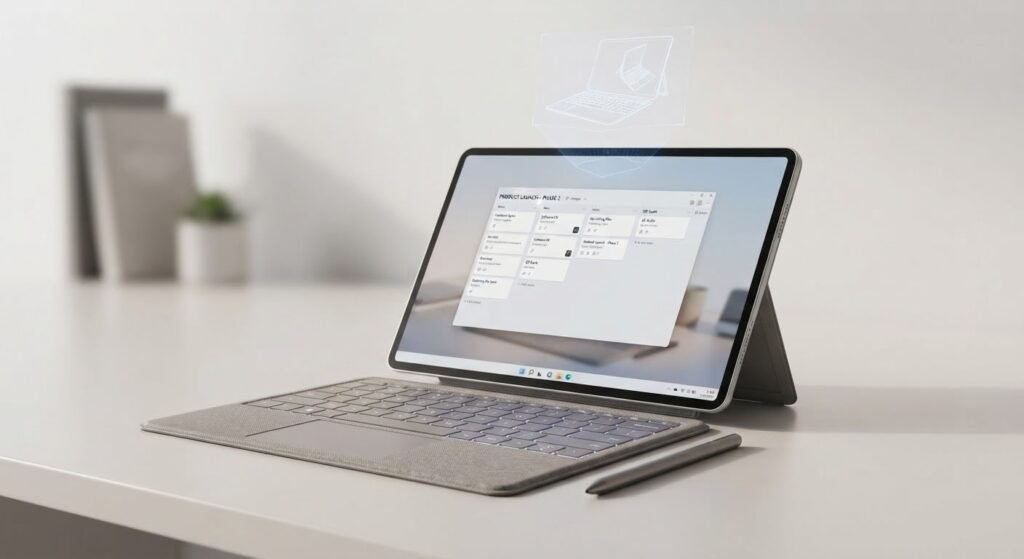
If your work involves:
- Web applications
- Documents
- Presentations
- Video calls
- Social media management
- Basic spreadsheets
- Content consumption
a tablet can work extremely well.
But if you regularly use:
- Complex desktop software
- Professional development environments
- Specialized engineering applications
- Advanced accounting software
- Full desktop browser extensions
you may still need a traditional laptop.
Best for Apple users
The iPad Air M4 offers enough performance for serious productivity.
Best for power users
The iPad Pro M5 provides even more performance and a superior display.
Best Android productivity tablet
Samsung’s Galaxy Tab Ultra series is particularly interesting because of DeX.
DeX gives the tablet a more desktop-like working environment and can make multitasking feel more natural.
14. iPadOS vs Android: Which Tablet Operating System Is Better?
This is one of the most important decisions you’ll make.
Neither platform is universally better.
They are simply optimized for different experiences.
iPadOS advantages
Apple’s platform generally offers:
- Excellent tablet applications
- Strong creative software
- Long-term software support
- Excellent accessory ecosystem
- Powerful processors
- Strong gaming performance
- Smooth integration with Apple devices
If you already own an iPhone or Mac, an iPad becomes even more attractive.
Android advantages
Android tablets provide:
- More hardware variety
- More price choices
- Better customization
- Expandable storage on some models
- Samsung DeX
- Strong multitasking
- S Pen integration
- Greater freedom in some workflows
Android is particularly appealing if your phone is already Android-based.
15. How Much RAM Do You Need in a Tablet?
RAM is frequently misunderstood.
More RAM is not automatically better for everyone.
For basic tasks such as:
- Browsing
- Streaming
- Reading
- Social media
you don’t necessarily need an enormous amount of RAM.
For:
- Video editing
- Multitasking
- Professional applications
- Large creative projects
- Gaming
- AI workloads
additional memory can be beneficial.
Premium tablets increasingly offer 12GB, 16GB, or even higher memory configurations.
But don’t spend extra money simply because a specification sheet contains a larger number.
Buy based on your actual workload.
16. How Much Storage Should You Buy?
Storage is another area where people often make mistakes.
If you mainly stream content, use cloud storage, and browse the web, you may not need enormous internal storage.
But if you download:
- Movies
- Games
- Photos
- Videos
- Large creative projects
- Offline documents
storage requirements increase quickly.
Recommended storage
- 128GB: Good for casual users.
- 256GB: Best balance for many people.
- 512GB: Excellent for power users.
- 1TB+: Mainly for professional workflows and large media libraries.
Remember that premium tablets can become extremely expensive when you move into the largest storage tiers.
17. What Screen Size Should You Choose?
Screen size dramatically changes how a tablet feels.
8–9 inches
Best for:
- Reading
- Travel
- Gaming
- Portability
10–11 inches
Best all-around size.
Excellent for:
- Students
- Browsing
- Work
- Streaming
- General use
12–13 inches
Better for:
- Productivity
- Drawing
- Multitasking
- Video editing
- Documents
14+ inches
Best for:
- Desktop-style productivity
- Professional creative work
- Entertainment
- Multitasking
But very large tablets can become uncomfortable to hold for long periods.
18. Do You Need a Keyboard With Your Tablet?
It depends on your workflow.
If you plan to type long documents, emails, articles, or assignments, a keyboard can dramatically improve productivity.
For students, a keyboard can turn a tablet into a lightweight writing machine.
For casual users, however, a keyboard may be unnecessary.
One important factor is total cost.
A tablet that costs $500 may look affordable until you add a $200-plus keyboard and a $100-plus stylus.
Always calculate the complete setup rather than looking only at the tablet’s base price.
19. Do You Need a Stylus?
Again, it depends.
A stylus is extremely useful for:
- Handwritten notes
- Drawing
- Digital art
- PDF annotation
- Signatures
- Diagrams
- Editing photographs
- Mathematics
For someone who only watches Netflix and browses websites, a stylus is unnecessary.
For students and artists, it can be one of the most valuable accessories you buy.
20. Tablet Battery Life in 2026
Battery life remains one of the biggest advantages tablets have over traditional laptops.
Most modern tablets can comfortably handle several hours of mixed use.
However, battery ratings can be misleading.
A tablet may last much longer during video playback than during:
- Gaming
- Video editing
- 3D rendering
- High brightness usage
- Cellular connectivity
If battery life matters, look for independent testing rather than relying exclusively on manufacturer claims.
Samsung’s recent tablet testing has demonstrated particularly strong battery performance across several Galaxy models.
21. Do You Need Cellular Connectivity?
Many tablets come in Wi-Fi and cellular versions.
Cellular connectivity allows you to use mobile data without connecting to a phone hotspot.
It’s useful for:
- Travelers
- Business professionals
- Students commuting daily
- Remote workers
- People who spend time away from Wi-Fi
But cellular versions cost more, and you’ll generally need a separate data plan.
If you mostly use your tablet at home, school, or office, Wi-Fi is usually enough.
22. Best Tablet by Budget
Your budget can simplify the decision considerably.
Under $250
Focus on:
- Amazon Fire tablets
- Affordable Android tablets
- Older-generation premium tablets on sale
Don’t expect flagship performance.
$250–$500
This is one of the most interesting price ranges.
You can find:
- Mid-range Samsung tablets
- OnePlus tablets
- Older premium iPads
- iPad entry-level models
- Strong entertainment-focused devices
$500–$800
This is the sweet spot for many buyers.
You can get:
- iPad Air
- High-end Samsung FE models
- Premium Android tablets
- Accessories depending on discounts
$800+
You enter the flagship category.
Options include:
- iPad Pro
- Galaxy Tab Ultra
- Premium configurations with large storage
- Cellular models
At this level, you should know exactly why you’re paying extra.
23. Best Tablet for Families
Families usually need a device that can do many things.
Parents might use it for:
- Video calls
- Streaming
- Browsing
Children might use it for:
- Educational applications
- Games
- Videos
- Reading
For a family tablet, durability and parental controls may be more important than raw performance.
An expensive flagship isn’t necessarily the smartest choice for a family that simply needs a shared entertainment device.
24. Best Tablet for Kids
When buying a tablet for children, don’t focus entirely on specifications.
Look at:
- Parental controls
- Case availability
- Screen durability
- Battery life
- Price
- App ecosystem
- Content restrictions
A $1,000 tablet may be an unnecessary risk for a young child.
An inexpensive tablet with a protective case can make much more sense.
25. Best Tablet for Seniors
Seniors often benefit from simplicity.
A good senior-friendly tablet should have:
- A bright display
- Large text options
- Simple interface
- Good speakers
- Reliable video calling
- Strong battery life
The iPad’s accessibility features make it a strong choice, while large-screen Samsung tablets can also be attractive because of their display size and Android customization.
26. What Makes a Tablet Future-Proof?
No tablet is truly future-proof.
Technology changes too quickly.
But you can maximize longevity by choosing:
- A modern processor
- At least adequate RAM
- Enough storage
- Long software support
- Good battery capacity
- A strong accessory ecosystem
This is another reason premium tablets can make sense.
Spending more initially can be cheaper than replacing a cheap tablet every two years.
27. Tablet vs Laptop in 2026
This is still one of the biggest questions.
Should you buy a tablet or laptop?
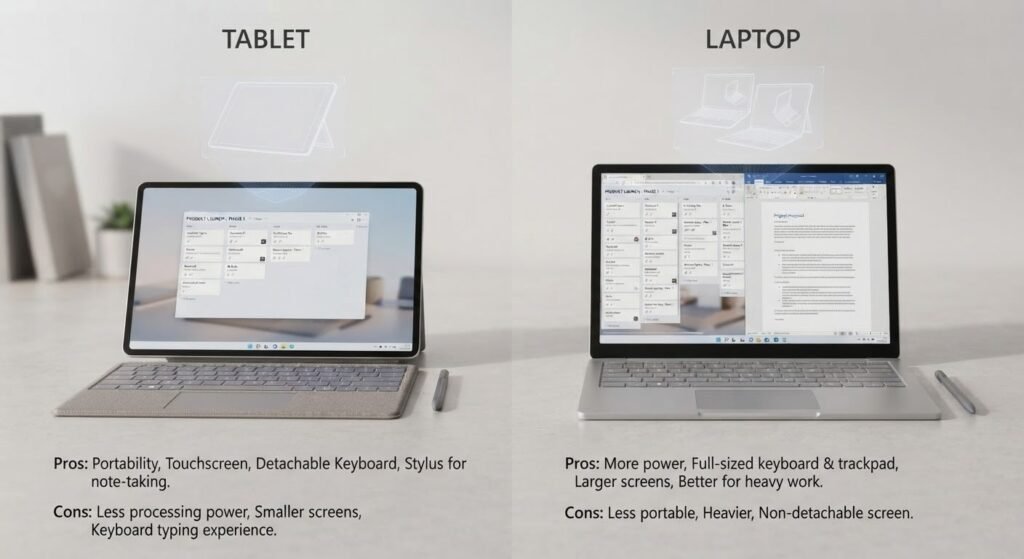
Choose a tablet if you value:
- Portability
- Touchscreen interaction
- Stylus support
- Entertainment
- Reading
- Casual productivity
- Drawing
- Long battery life
Choose a laptop if you need:
- Full desktop applications
- Advanced multitasking
- Extensive file management
- Professional development tools
- Specialized software
- Traditional desktop workflows
The hybrid approach
Some users should simply own both.
A lightweight laptop can handle demanding work while a tablet handles entertainment, reading, note-taking, and travel.
28. Best Tablets of 2026: Detailed Comparison
| Category | Best Choice | Why |
|---|---|---|
| Best overall | iPad Air M4 | Excellent balance of power and price |
| Best premium | iPad Pro M5 | Maximum performance and OLED display |
| Best Android | Galaxy Tab S11 Ultra | Excellent AMOLED display and DeX |
| New premium Android | Galaxy Tab S12 Ultra | Latest flagship Samsung hardware |
| Best value Samsung | Galaxy Tab S10 FE+ | Strong features and included S Pen |
| Best compact | iPad mini | Powerful and extremely portable |
| Best budget Android | OnePlus Pad Lite | Affordable everyday tablet |
| Best cheap tablet | Fire HD 10 | Low-cost entertainment |
| Best for artists | iPad Pro M5 | Display, performance and Apple Pencil ecosystem |
| Best for students | iPad Air M4 | Performance, apps and accessories |
| Best Android for students | Galaxy Tab S10 FE+ | S Pen and value |
| Best for multitasking | Galaxy Tab Ultra | Large screen and DeX |
| Best for gaming | iPad Pro M5 / gaming Android tablets | High-end performance |
| Best for travel | iPad mini | Compact design |
| Best for movies | Galaxy Tab Ultra | Massive AMOLED screen |
29. The Biggest Mistakes to Avoid When Buying a Tablet
Buying a tablet can be surprisingly complicated.
Here are some mistakes worth avoiding.
Buying the most expensive model automatically
More expensive doesn’t always mean better for you.
If you only watch movies and browse the web, an iPad Pro may be unnecessary.
Ignoring accessory costs
Always calculate:
- Tablet + keyboard + stylus + case + charger
The total can be dramatically higher than the advertised tablet price.
Buying too little storage
Running out of storage is frustrating.
If you download games and videos, consider at least 256GB.
Choosing a huge tablet without considering portability
A 14-inch tablet can look incredible in a store.
After carrying it around for six months, you may wish you’d purchased an 11-inch model.
Choosing an operating system you don’t understand
If your workflow depends heavily on Windows software, buying an iPad won’t magically turn it into a Windows computer.
Likewise, if you depend on Apple’s ecosystem, moving to Android may create unnecessary friction.
30. Should You Buy an iPad or Samsung Galaxy Tab?
This is perhaps the simplest comparison.
Choose an iPad if you want:
- Better tablet app ecosystem
- Strong creative applications
- Apple Pencil
- Powerful Apple silicon
- Excellent gaming
- Long-term integration with Apple products
Choose a Samsung Galaxy Tab if you want:
- Android
- S Pen
- DeX
- Large AMOLED screens
- More customization
- Android ecosystem
- Flexible multitasking
Both are excellent.
The better choice depends on the ecosystem you already use.
31. What About Microsoft Surface Tablets?
Windows tablets remain attractive for a specific group of buyers.
If you need a Windows desktop environment in tablet form, Surface-style devices can make sense.
They are particularly useful for people who need access to Windows applications while still wanting a touchscreen and detachable keyboard design.
However, they’re fundamentally different from iPads and Android tablets.
A Windows tablet behaves more like a traditional PC.
That can be an advantage for professionals, but it can also mean shorter battery life, heavier software, and a less touch-focused experience.
If you’re looking for a pure tablet experience, iPadOS or Android may feel more natural.
32. How AI Is Changing Tablets in 2026
Artificial intelligence is now becoming an important part of the tablet experience.
Modern tablets increasingly include hardware designed to accelerate AI workloads.
AI can assist with:
- Writing
- Summarization
- Image editing
- Transcription
- Translation
- Research
- Voice interaction
- Document analysis
- Photo enhancement
Apple’s M5 iPad Pro, for example, places significant emphasis on on-device AI performance, while Samsung’s latest tablets are also expanding AI-powered features throughout their software experience.
But don’t buy a tablet simply because the marketing says “AI.”
The more important question is:
Which AI features will you actually use?
33. Why Software Support Matters More Than Ever
A tablet isn’t just hardware.
The operating system determines how long the device remains useful.
Regular software updates can provide:
- Security improvements
- New features
- Better application compatibility
- Bug fixes
- Performance improvements
This is one reason established platforms such as Apple’s iPadOS and Samsung’s Galaxy ecosystem remain attractive.
When buying a tablet, don’t think only about the first year.
Think about years three, four, and five.
34. Our Overall Ranking for 2026
After considering performance, software, display quality, accessories, productivity, entertainment, portability, and value, here’s how we would rank the major choices.
- iPad Air M4 — Best Overall The most balanced choice for the majority of buyers.
- iPad Pro M5 — Best Premium For people who want maximum iPad performance and a superior display.
- Samsung Galaxy Tab S11 Ultra — Best Android Excellent hardware, AMOLED display, S Pen, and DeX.
- Galaxy Tab S12 Ultra — Best New Samsung Flagship A cutting-edge Android option for buyers who want the latest premium hardware.
- Galaxy Tab S10 FE+ — Best Value Samsung A compelling option for students and families.
- iPad mini — Best Compact Excellent for travel and portable entertainment.
- OnePlus Pad Lite — Best Budget Android Good choice for people who want an inexpensive everyday tablet.
- Amazon Fire HD 10 — Best Cheap Tablet Ideal for basic streaming and browsing.
Final Verdict: What Is the Best Tablet to Buy in 2026?
So, after looking at the entire market, which tablet should you actually buy?
For most people, the iPad Air M4 is the best overall choice.
It delivers an excellent combination of performance, portability, software, accessories, and long-term usability without reaching the extreme pricing of the iPad Pro.
If you’re a professional creative user, the iPad Pro M5 is the better choice. Its powerful M5 processor and premium OLED display make it particularly well suited to demanding creative and professional workloads. Apple’s M5 hardware also brings major improvements in graphics and AI processing.
If you’re an Android fan, the Samsung Galaxy Tab S11 Ultra remains one of the strongest choices thanks to its huge AMOLED display, S Pen, powerful hardware, and DeX productivity environment.
If you want the newest Samsung hardware and don’t mind paying flagship prices, the Galaxy Tab S12 Ultra is another serious contender. Samsung’s latest generation pushes large-screen Android tablets further with a Dimensity 9500 processor, 120Hz AMOLED display, S Pen support, and high-end configurations.
For students and families, the Galaxy Tab S10 FE+ offers an especially attractive balance of features and value.
For travelers, readers, and people who hate carrying large devices, the iPad mini remains one of the most appealing compact tablets available.
And if your budget is limited, don’t feel pressured to buy a flagship.
Affordable tablets such as the OnePlus Pad Lite and Amazon Fire HD 10 can handle basic entertainment, browsing, reading, and everyday tasks without requiring a huge investment. Current 2026 tablet testing continues to show that the market has strong options across multiple price categories.
Ultimately, the best tablet to buy in 2026 isn’t necessarily the tablet with the fastest processor or the most expensive price tag.
It’s the tablet that fits the way you actually live and work.
If you want one device that can handle almost everything, choose the iPad Air M4.
If you want uncompromising iPad performance, choose the iPad Pro M5.
If you prefer Android and want a huge productivity-focused tablet, look at the Samsung Galaxy Tab Ultra lineup.
If value matters most, explore Samsung’s FE models and affordable Android alternatives.
And if portability is your number-one priority, the iPad mini may be the better choice.
The tablet market in 2026 is more competitive than ever, and that’s good news for buyers. Whether you’re a student, professional, gamer, artist, traveler, parent, or casual entertainment user, there is now a tablet capable of fitting your lifestyle without forcing you into the same hardware choice as everyone else.