
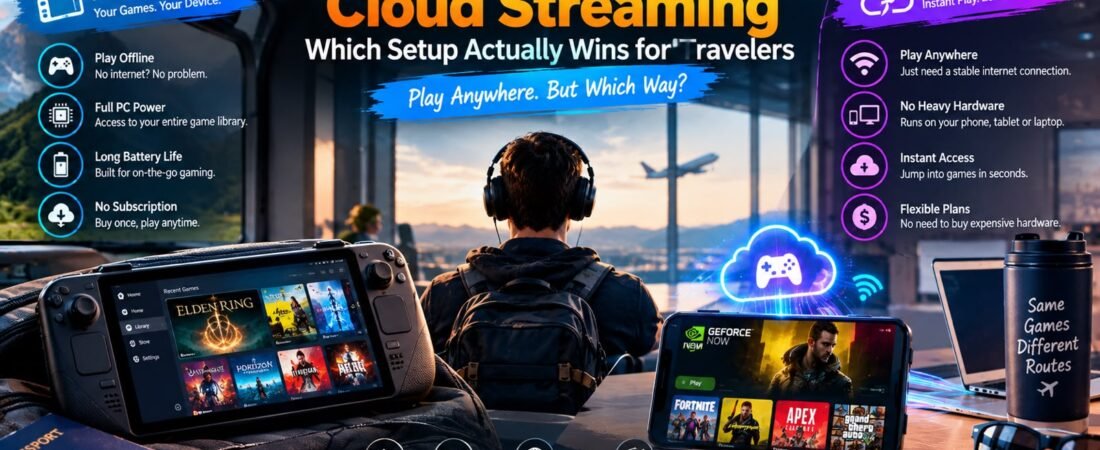
Introduction: The Modern Traveler’s Gaming Dilemma
For anyone who loves video games and spends a significant amount of time traveling—whether boarding long-haul flights, navigating high-speed trains, or staying in remote hotel rooms—the eternal question always comes down to hardware. How do you take your favorite AAA titles and immersive digital worlds on the road without dragging an expensive, heavy desktop rig through airport security?
In the modern gaming landscape, travelers face a fascinating technological fork in the road. On one side, we have the booming renaissance of dedicated handheld PC gaming consoles like the Steam Deck, ASUS ROG Ally, and Lenovo Legion Go, which pack real local gaming hardware into a portable, self-contained chassis.
Both approaches promise mobile gaming freedom, but their underlying architectures, real-world limitations, and ideal use cases are worlds apart. If you rely on a weak Wi-Fi signal in a hotel room or find yourself trapped offline mid-flight, a cloud stream grinds to a dead halt. Conversely, if you are trying to render a massive, unoptimized open-world game natively on a compact handheld device, you will watch your battery percentage plummet in less than ninety minutes.
Which setup actually wins for travelers? To find out, we need to compare how both ecosystems handle real-world travel friction, offline reliability, visual fidelity, and financial cost. For broader industry insights into mobile hardware and portable gaming trends, you can explore reports via The Verge Gaming Desk alongside hardware evaluations from PCMag Gaming Lab and tech guides at My Tech Hub Innovation Blog.
1. The Core Architecture: Local Hardware vs. Remote Data Centers
To understand why handheld PCs and cloud streaming behave so differently on the road, you must look at where the actual computing work happens.
- Handheld PC Gaming (Local Processing): Devices like the Steam Deck or ROG Ally house their own customized AMD or Intel processors, graphics chips, system memory, and local solid-state storage. The game runs entirely on the silicon in your hands. Your inputs are processed locally, frames are rendered on the internal display, and your battery powers the entire computing cycle.
- Cloud Streaming (Remote Rendering): Cloud gaming shifts the heavy lifting entirely to massive, hyper-powerful server farms miles away. Those remote servers run the game at ultra-settings, compress the video output into a live stream, and beam it over the internet to your portable screen. Your device simply acts as a display monitor and controller input relay.
2. The Offline Test: Why Trains, Planes, and Tunnels Break the Cloud
The single most critical variable for any traveler is internet connectivity. Travel environments are notoriously hostile to stable, high-bandwidth data connections.
The Achilles’ Heel of Cloud Streaming
If you are sitting in seat 32B on a commercial flight across the Atlantic, or passing through a rural mountain tunnel on a high-speed train, cloud gaming is completely useless. Cloud services demand a continuous, low-latency broadband connection (typically stable Wi-Fi 5/6 or fast 5G data). The moment your packet loss spikes or your connection drops, your stream stutters, blurs into a pixelated mess, or crashes entirely.
The Complete Freedom of Local Handhelds
A handheld gaming PC doesn’t care if you have Wi-Fi. Once your games are downloaded onto your local SSD, you can boot them up while camping in the deep woods, sitting on an airplane tarmac, or relaxing in a hotel room with non-existent internet. You retain absolute control over your gaming library without depending on external network infrastructure.

3. Visual Fidelity and Performance: Raw Power vs. Video Compression
When it comes to raw graphical punch, cloud streaming technically has an unfair advantage—provided you have a pristine internet connection.
Cloud Streaming’s Visual Ceiling
Because cloud platforms run on enterprise-grade server hardware, they can effortlessly pump out games at maxed-out graphical settings, ray tracing enabled, and high frame rates. However, there is a catch: you are watching a compressed video stream. In fast-motion scenes, dark environments, or areas dense with complex foliage, you may notice compression artifacts, color banding, or slight macro-blocking. Furthermore, even with ultra-low latency, input commands can sometimes feel just a fraction of a millisecond “floaty” due to network round-trips.
Handheld PC Realism
A handheld PC renders native graphics directly to its built-in screen. While its smaller custom APU cannot compete with a $2,000 desktop RTX graphics card, games look crisp, clean, and entirely free of video compression artifacts. Input latency is virtually zero because your controller buttons wire directly into the local operating system.
4. Battery Endurance and Thermal Weight on Long Trips
When packing light for a trip, every ounce and every milliamp-hour of battery life matters immensely.
The Battery Trade-Off
- Handheld PCs: Rendering AAA games locally on a portable chassis requires immense electrical draw. Most handheld gaming PCs will drain their batteries in 1.5 to 3 hours when playing heavy modern titles, requiring travelers to pack bulky USB-C power banks or hunt for wall outlets in crowded airport terminals.
- Cloud Streaming via Mobile/Tablet: Because your phone or slim tablet is only decoding a video stream rather than processing heavy 3D geometry locally, battery drain is dramatically lower. You can stream games for hours on a standard smartphone battery without melting your hardware or draining your portable power bank.
5. Game Library Compatibility, Ownership, and Modding
How you acquire, own, and modify your games creates a stark philosophical divide between local hardware and cloud rentals.
True Ownership vs. Conditional Access
- Handheld PCs (Complete Control): Devices like the Steam Deck run open operating systems where you truly own your game files. You can install games from Steam, Epic Games, GOG, or emulation platforms, back up your save files manually, apply community mods, and play completely offline.
- Cloud Streaming (Conditional Access): Cloud platforms give you access, not possession. Your game library is entirely dependent on corporate subscription terms, publisher opt-ins, and server availability. If a publisher pulls their game from GeForce NOW or a service changes its pricing tiers, your access can vanish overnight.
6. Financial Investment and Long-Term Value
Traveling light often means balancing upfront hardware costs against ongoing subscription overhead.
- Handheld PCs: Require a significant upfront investment (ranging from $399 for entry-level Steam Decks to $700+ for high-end Windows handhelds), but once purchased, you own the hardware outright with zero mandatory subscription fees.
- Cloud Streaming: Features a very low barrier to entry—you can stream games on a phone or cheap tablet you already own. However, you must factor in ongoing monthly subscription fees (e.g., GeForce NOW or Xbox Game Pass Ultimate) plus the cost of purchasing the underlying games. Over five years of continuous membership, subscription costs can easily eclipse the price of dedicated hardware.
7. The Hybrid Compromise: Local Streaming via Moonlight and Sunshine
For travelers who want the absolute best of both worlds, there is a third option gaining massive popularity: local home-streaming.
If you own a powerful gaming PC sitting at home, you can install open-source tools like Sunshine on your host PC and Moonlight on your portable handheld or smartphone. When you are traveling and connected to decent hotel Wi-Fi, your handheld can stream games directly from your own personal gaming rig across the internet.
- The Benefit: You get the immense graphical power of your home PC anywhere in the world, your home saves sync instantly, and you don’t pay any third-party cloud subscription fees.
- The Catch: It still requires a stable internet connection at your destination and a powered-on PC waiting at home.
Handheld PC vs. Cloud Streaming Reference Matrix
To help you evaluate which setup matches your travel style, review the reference matrix below:
| Feature / Consideration | Handheld Gaming PC (Steam Deck / ROG Ally) | Cloud Streaming (GeForce NOW / xCloud) |
| Offline Playability | Flawless: Play anywhere without internet | Impossible: Requires continuous high-speed internet |
| Graphical Fidelity | Native resolution, zero compression artifacts | Max settings, but subject to stream compression |
| Battery Life on Travel | Short (1.5 to 3 hours for heavy AAA games) | Long (Phone/tablet battery lasts significantly longer) |
| Hardware Weight & Bulk | Moderate (Dedicated device to pack) | Minimal (Uses phone, tablet, or slim laptop you already carry) |
| Game Ownership & Mods | Full control over files, saves, and mods | Conditional access tied to active subscriptions |
Travel Gear & Setup Pricing Reference Guide
To help you map out your mobile gaming budget, review the hardware and subscription price tiers below:
| Setup Category | Recommended Hardware / Service | Estimated Cost (USD) | Best Suited For Travelers |
| Budget Handheld PC | Steam Deck (LCD 256GB / Refurbished) | $349 – $399 | Travelers wanting native offline play on a budget |
| Flagship Handheld PC | ASUS ROG Ally X / Lenovo Legion Go | $699 – $899 | Power users wanting Windows compatibility and high refresh rates |
| Cloud Mobile Rig | Smartphone + Backbone One Controller | $99 – $129 (Controller only) | Frequent flyers with reliable airport/hotel Wi-Fi |
| Premium Cloud Gaming | NVIDIA GeForce NOW (Ultimate Tier) | ~$20 / month | Gamers demanding RTX 4080 graphics on mobile devices |
8. The Impact of Controller Ergonomics and Hand Fatigue on Long-Haul Travel
When you are trapped in a cramped economy airplane seat for an eight-hour flight or waiting out a delayed train connection, the physical ergonomics of your gaming setup become just as important as its digital performance. Long gaming sessions require hardware that fits naturally in your hands without inducing wrist strain, thumb cramping, or finger fatigue.
- Handheld PC Ergonomics: Dedicated handheld PCs like the Steam Deck and Legion Go are engineered specifically with chunky, contoured grips, full-sized thumbsticks, and well-positioned trigger buttons designed to mimic professional console controllers. While they carry more physical weight, their balanced weight distribution prevents hand fatigue during extended play sessions.
- Mobile Controller Attachments: Cloud streaming setups utilizing smartphone controller grips (such as a Backbone One or Razer Kishi) keep your luggage weight extremely low. However, ultra-slim mobile controllers can sometimes feel cramped for users with larger hands, leading to hand fatigue during multi-hour gaming marathons.
9. Managing Data Caps, Mobile Hotspots, and Roaming Charges While Traveling
While cloud gaming offers a lightweight hardware footprint, it introduces an entirely different logistical hurdle that every traveler must calculate: mobile data consumption.
The Hidden Cost of Data Streaming
Streaming high-definition games from a remote server farm over a cellular connection consumes massive amounts of data at astonishing speeds—often ranging from 2 to 5 gigabytes of data per hour depending on whether you stream at 1080p or 4K resolution.
- The Danger of Data Caps: If you are traveling internationally and relying on hotel Wi-Fi or limited cellular roaming data plans with strict data caps, a few hours of cloud gaming can completely exhaust your monthly allowance, triggering throttled speeds or astronomical overage bills.
- Local Storage Advantage: Handheld PCs bypass mobile data fees entirely once downloaded games are stored locally on your internal SSD or microSD card, requiring internet connectivity only for cloud save synchronizations or multiplayer matchmaking.
10. Thermal Throttling, Noise Levels, and Fan Acoustics in Quiet Public Spaces
When gaming in shared public environments—such as a quiet airport departure lounge, a late-night hotel room, or a packed train carriage—environmental acoustics and device heat dissipation become critical factors of social etiquette and hardware stability.
Acoustic Footprints on the Move
- Handheld PC Fan Noise: Under heavy local processing loads, the internal cooling fans inside high-end Windows handheld PCs (like the ROG Ally) spin up to high RPMs, generating a noticeable high-pitched whine that can draw unwanted attention from passengers sitting nearby.
- Cloud Streaming Silence: Because your smartphone or tablet is only decoding a compressed video stream rather than processing local 3D shaders, the device remains virtually silent and cool to the touch, making cloud streaming the much more polite choice for quiet public spaces.
11. Managing Storage Capacity and Large Modern Game File Sizes
Modern AAA video games are massive. With blockbuster titles frequently demanding anywhere from 60 GB to over 150 GB of storage space per game, managing your storage library on the road requires careful logistical planning.
Storage Strategies for Travelers
- Local SSD Limitations: Handheld PCs typically feature 512GB or 1TB internal solid-state drives. This means you can comfortably keep only 4 to 8 massive AAA games installed locally at any given time, forcing you to delete and re-download games if your travel itinerary changes.
- Infinite Cloud Libraries: Cloud streaming services eliminate local storage constraints entirely. Because the game files live entirely on remote corporate servers, you can access your entire digital library of hundreds of titles instantly without installing a single gigabyte locally.
12. Security and Account Protection Across Public Hotel Networks
Travelers frequently connect their portable gaming gear to unsecured public Wi-Fi networks in hotels, cafes, and airports. This introduces significant cybersecurity risks, particularly when logging into platforms like Steam, Xbox, Epic Games, or personal cloud gaming accounts.
Safeguarding Your Gaming Identity
- Two-Factor Authentication (2FA): Always enforce hardware or app-based multi-factor authentication on all digital storefront accounts to prevent unauthorized access if your connection packets are intercepted on public networks.
- Using Secure Tunnels: When utilizing handheld PCs on public hotel Wi-Fi, running a trusted VPN or ensuring your gaming platform maintains secure end-to-end encryption prevents malicious actors from hijacking your active user sessions or stealing digital purchase credentials.
13. The Role of Cross-Platform Cloud Save Synchronization
One of the greatest quality-of-life features for modern travelers is seamless cloud save synchronization. Whether you transition between your desktop rig at home, a handheld PC on a train, or a smartphone in a hotel room, your game progress should follow you effortlessly.
Keeping Progress Synchronized
- Platform Ecosystems: Steam Cloud, Xbox Play Anywhere, and Epic Games automatically upload your latest save files the moment you close a game session.
- The Offline Catch: If you are playing locally on a handheld PC while completely offline on an airplane, your local save will not sync to the cloud until you reconnect to the internet. If you launch the game on another device before your handheld syncs, you risk encountering frustrating save-conflict prompts.
14. Ergonomic Carrying Cases, Packing Constraints, and TSA Security Checkpoints
When packing for air travel, how easily your gaming gear fits into a backpack and clears airport security checkpoints can make or break the start of your trip.
Navigating Airport Security
- Handheld PC Portability: Dedicated handhelds come molded inside semi-rigid protective hard cases. At TSA security checkpoints, many security agents require you to pull large electronic devices out of bags just like laptops, adding slight friction during terminal rushes.
- Smartphone & Controller Agility: Packing a modular mobile controller (like a Backbone) alongside your everyday smartphone allows your gaming rig to slip effortlessly into standard carry-on pockets without triggering extra security scrutiny or taking up precious bag space.
15. The Evolution of Mobile Accessories: Power Banks, Docks, and Portable Displays
Maximizing the potential of either mobile gaming setup often requires investing in a curated ecosystem of travel accessories designed to eliminate hardware friction.
Essential Travel Gaming Gear
- High-Capacity Power Banks: To combat the short battery life of handheld PCs, travelers rely on 65W or 100W USB-C Power Delivery (PD) power banks capable of recharging a Steam Deck or ROG Ally multiple times mid-flight.
- Portable USB-C Monitors: Some travelers pack a lightweight, 15-inch portable folding monitor, transforming their handheld PC or smartphone into an immersive tabletop workstation when relaxing in a spacious hotel room.
16. Battery Management Strategies, Portable Power Banks, and In-Flight Charging Protocols
One of the most relentless physical limitations facing travelers who rely on dedicated handheld PC gaming consoles is poor battery endurance. When pushing modern, graphics-intensive AAA video games natively on mobile silicon, devices like the Steam Deck, ASUS ROG Ally, and Lenovo Legion Go will typically exhaust their internal lithium-ion batteries in anywhere from 90 minutes to two hours. For long-haul flights across oceans or delayed train journeys spanning multiple time zones, managing your power supply is an absolute logistical necessity.
Proactive Power Preservation on the Road
- Capping Frame Rates and Thermal Profiles: Handheld gaming operating systems allow users to manually cap frame rates (e.g., locking a game to 30 or 40 frames per second) and lower the thermal design power (TDP) wattage. Trimming power draw from 25 watts down to 12 watts can dramatically extend your active gaming session by an extra hour without severely compromising playability.
- Investing in High-Capacity Power Banks: Seasoned travelers pack a Transportation Security Administration (TSA)-compliant 65W or 100W USB-C Power Delivery (PD) power bank (typically rated under 100Wh to clear airport security regulations). These external batteries can recharge a handheld PC multiple times mid-flight, ensuring uninterrupted entertainment from takeoff to landing.
17. The Role of Community-Driven Emulation and Retro Gaming Libraries on the Road
While modern AAA blockbuster titles demand cutting-edge hardware and massive storage arrays, a thriving subset of travel gamers utilizes portable hardware for an entirely different purpose: retro gaming and portable emulation. Handheld PCs and smartphones paired with mobile controllers serve as ultimate portable arcade machines capable of running decades of gaming history.
Emulation Versatility While Traveling
- Endless Library on Minimal Storage: Classic titles from retro consoles—such as the PlayStation 1, Nintendo 64, GameCube, PlayStation Portable (PSP), and SNES—require negligible storage space while offering hundreds of hours of deeply engaging gameplay.
- Low-Power Efficiency: Running older emulated games draws minimal electrical current from your device, allowing you to game for four to six hours straight on a single charge without draining your battery or spinning up loud internal cooling fans. This makes emulation an ideal companion for long flights where power outlets are unavailable.
18. Local Multiplayer and Co-Op Gaming in Hotel Rooms and Airports
Video games have historically served as a powerful social medium, and traveling with friends, family members, or colleagues opens up fantastic opportunities for impromptu local multiplayer sessions far away from home.
Setting Up Impromptu LAN and Couch Co-Op Parties
- Splitting Controls and Screens: Many handheld PCs and tablets can instantly pair with dual wireless controllers via Bluetooth. By propping up your device on a hotel nightstand or airplane tray table and syncing two Bluetooth controllers, you can play classic couch co-op games side by side in tight spaces.
- Connecting to Hotel Displays: Modern handhelds and smartphones equipped with full-featured USB-C video out ports can connect directly to a hotel room’s flat-screen television using a compact travel dock and an HDMI cable. This instantly transforms your portable mobile setup into a full-scale living room gaming console on a massive screen.
19. Cross-Play, Multiplayer Latency, and Mobile Networking Hurdles
For travelers who enjoy competitive multiplayer titles—such as fast-paced first-person shooters, fighting games, or online sports leagues—transitioning your gaming habit onto the road introduces severe technical hurdles related to network latency and server responsiveness.
Navigating Online Multiplayer While Traveling
- The Ping Challenge: Competitive multiplayer requires low, stable ping times (ideally under 50 milliseconds). Public Wi-Fi networks in hotels and cafes suffer from massive latency spikes, jitter, and packet loss, leading to severe rubber-banding, lag, and immediate online disadvantage.
- Cellular Hotspot Viability: In many cases, connecting your gaming hardware to a modern 5G smartphone cellular hotspot provides a significantly more stable connection and lower ping than congested hotel broadband networks, provided you have strong signal coverage and a generous data plan.
20. Future Horizons: Hybrid Cloud-Local Hardware and 6G Mobile Connectivity
As we look toward the future of mobile gaming architecture, the traditional dividing line between local handheld hardware and remote cloud streaming is beginning to blur into a seamless hybrid ecosystem. Emerging networking technologies promise to eliminate the historical compromises travelers have been forced to accept.
What the Future Holds for Mobile Gamers
- Intelligent Hybrid Processing: Next-generation mobile gaming devices will dynamically split computational workloads between local silicon and remote edge-compute servers. If your local Wi-Fi drops while traveling through a tunnel, the game will instantly transition local rendering modes without stuttering or crashing your session.
- Ultra-Low Latency 6G Networks: The eventual global rollout of ultra-low latency cellular networks will make cloud streaming viable even while traveling on high-speed bullet trains or commercial flights, bringing desktop-grade gaming anywhere on earth.
Frequently Asked Questions (FAQ)
Q1: Can I use cloud gaming on airplane Wi-Fi?
A: Generally, no. Standard commercial airline Wi-Fi is heavily congested, throttled, and plagued by high latency and packet loss, making it completely inadequate for stable cloud gaming streams.
Q2: Do handheld gaming PCs work with game pass and epic store?
A: Yes. Windows-based handhelds (like the ROG Ally) support Xbox Game Pass, Epic Games, GOG, and Steam natively. Linux-based handhelds (like the Steam Deck) run Steam natively, though other storefronts require community setup workarounds.
Q3: Which option is lighter to pack in a travel bag?
A: Cloud streaming wins on luggage weight because you only need a compact mobile controller (like a Razer Kishi or Backbone) that attaches to your existing smartphone or tablet. Handheld PCs require carrying a dedicated device and its hard-shell protective travel case.
Conclusion: Which Setup Actually Wins for Travelers?
So, which setup wins? The definitive answer depends entirely on where your travels take you.
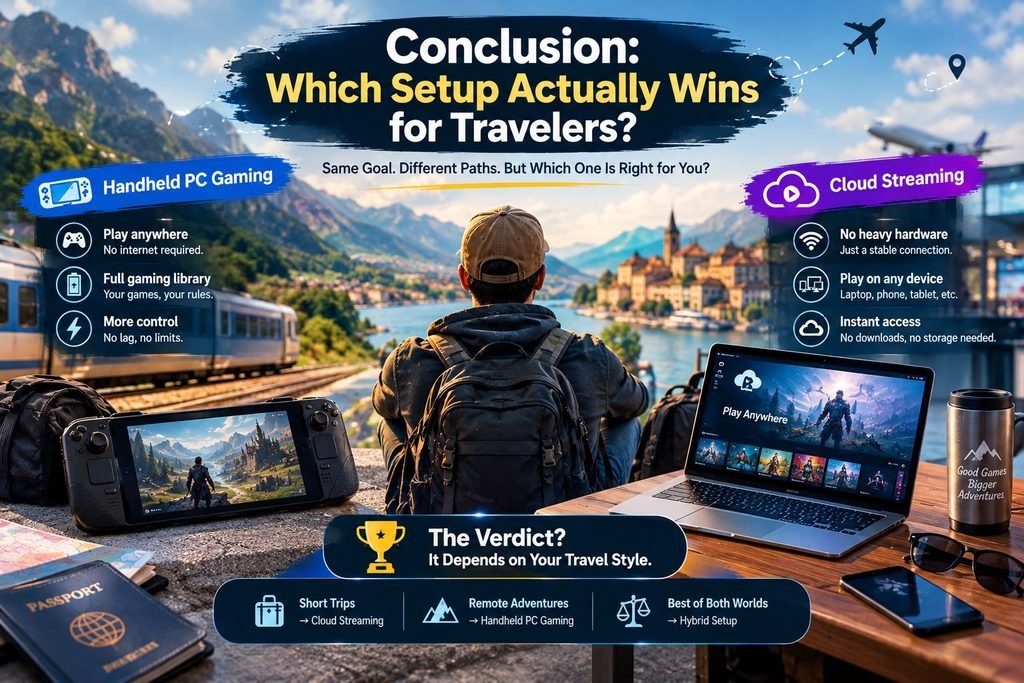
- Handheld PC Gaming wins decisively if your travel involves airplanes, trains, remote destinations, or inconsistent Wi-Fi. If your priority is absolute independence, true game ownership, offline playability, and zero dependency on external network speeds, carrying a Steam Deck or ROG Ally is the ultimate travel companion.
- Cloud Streaming wins decisively if you travel strictly between high-speed urban hotels, convention centers, and offices with robust broadband. If you want maximum graphical fidelity, zero local storage management, and prefer traveling light with just your phone and a pocket controller, cloud gaming offers unbeatable convenience.
Evaluate your typical itineraries, your connectivity realities, and your tolerance for technical tinkering, and choose the mobile gaming setup that keeps you entertained wherever your journey leads.