
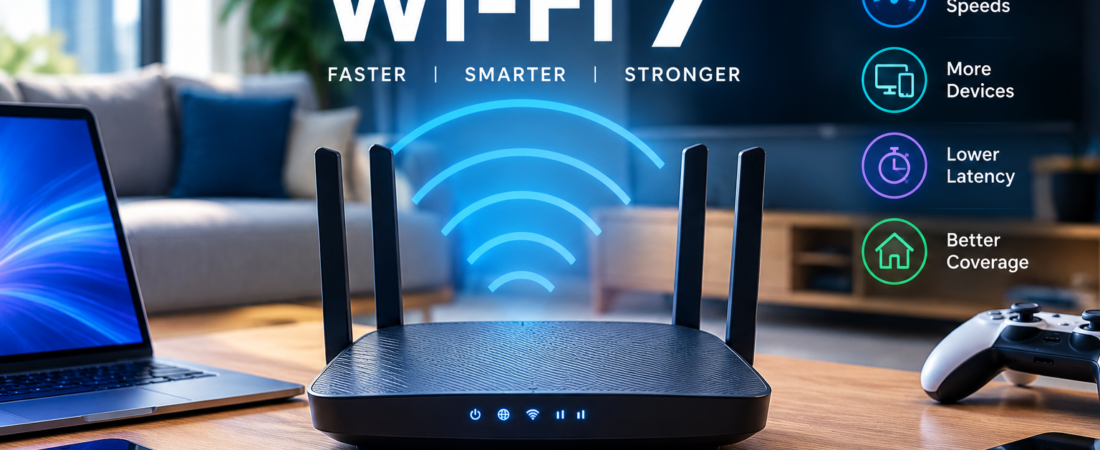
Introduction: Is a Wi-Fi 7 Router Worth the Upgrade?
A Wi-Fi 7 router represents the next step in home wireless connectivity, but traditional routers have quietly powered our digital lives for years. Sitting in a corner of the home, they connect our devices to the internet. However, modern households demand far more from this essential networking hardware. With 4K and 8K video streaming, cloud gaming, remote work, and dozens of smart home devices, home networks face increasing demands every day.
That is where Wi-Fi 7 (IEEE 802.11be) comes in. As the next generation of wireless networking, it introduces significant improvements in speed, latency, and network efficiency. Technologies such as Multi-Link Operation (MLO) allow compatible devices to use multiple wireless links, potentially improving performance and reliability. As a result, Wi-Fi 7 promises a faster and more responsive wireless experience.
However, these benefits come at a cost. Many Wi-Fi 7 routers carry premium price tags, making an upgrade a significant investment. Before replacing your existing hardware, it is worth asking a simple question: Do you really need a Wi-Fi 7 router, or is your current setup still good enough?
In this guide, we will explain how Wi-Fi 7 works, compare it with Wi-Fi 6 and Wi-Fi 6E, and examine its practical benefits in everyday use. More importantly, we will help you decide whether upgrading now makes sense for your devices, internet connection, household needs, and budget.
1. Decoding Wi-Fi 7: What Makes IEEE 802.11be a Revolutionary Standard?
To understand whether Wi-Fi 7 is worth your hard-earned money, you must first look past the marketing hype and examine the structural engineering upgrades introduced by the new standard.
- 320 MHz Ultra-Wide Channels: While Wi-Fi 6 and 6E topped out at 160 MHz channel bandwidth, Wi-Fi 7 doubles that threshold to 320 MHz. Operating primarily within the uncongested 6 GHz spectrum, these ultra-wide channels allow compatible devices to move twice as much data simultaneously.
- 4096-QAM (Quadrature Amplitude Modulation): Wi-Fi 6 utilized 1024-QAM, packing 10 bits of data into each transmission symbol. Wi-Fi 7 scales this up to 4096-QAM, packing 12 bits per symbol. This denser modulation yields roughly a 20% throughput boost under optimal signal conditions, letting you squeeze more data through the air without consuming extra spectrum.
2. Multi-Link Operation (MLO): The Killer Feature of Wi-Fi 7
If there is one technical advancement that justifies Wi-Fi 7’s existence, it is Multi-Link Operation (MLO). In previous generations of wireless standards, a device could only connect to a router on a single frequency band at any given time (e.g., exclusively on 5 GHz or 6 GHz).
How MLO Transforms Stability
- Simultaneous Multi-Band Aggregation: MLO allows a compatible Wi-Fi 7 device to transmit and receive data across multiple frequency bands and channels concurrently. Your phone or laptop can send packets over both the 5 GHz and 6 GHz bands at the exact same time, aggregating total throughput and virtually eliminating jitter.
- Dynamic Congestion Evasion: If one frequency band encounters sudden interference or packet loss, MLO instantly shifts or duplicates the data stream across an alternate clean link without dropping your connection .
3. Preamble Puncturing: Navigating Crowded Wireless Environments
Living in a densely populated apartment building or a suburban neighborhood often exposes your home network to massive wireless interference from neighboring routers broadcasting on overlapping channels.
- The Legacy Problem: In older Wi-Fi standards, if a portion of a wide channel was blocked by interference, the entire channel width was forced to drop down, crippling your network speed.
- The Wi-Fi 7 Solution: Wi-Fi 7 introduces preamble puncturing, a smart feature that allows the router to “puncture” or block out only the specific sub-channels experiencing interference while leaving the rest of the wide channel open and fully operational. This ensures consistent, high-speed throughput even in crowded urban airspace.
4. Do You Have Multi-Gig Internet? Matching Hardware to ISP Speeds
One of the most practical questions to ask before upgrading to a Wi-Fi 7 router is whether your underlying internet service plan can actually feed it.
- The 300 Mbps Reality: If your internet service provider (ISP) delivers a standard 300 Mbps or 500 Mbps download plan, your current Wi-Fi 6 router is already fast enough to handle your full bandwidth without breaking a sweat. Upgrading to Wi-Fi 7 will not make your web pages load faster or your video streams crispier because your router is not the bottleneck—your ISP plan is.
- The Multi-Gig Fiber Exception: If you subscribe to blazing-fast 2 Gbps, 5 Gbps, or 10 Gbps symmetrical fiber internet, older Wi-Fi 6 or 6E hardware will bottleneck your wired connection over wireless transmission. Wi-Fi 7 routers, equipped with 2.5G or 10G physical Ethernet ports and massive wireless throughput, are specifically engineered to unleash multi-gigabit internet across compatible devices.
5. The Device Ecosystem Bottleneck: Are Your Clients Ready?
A router is only half of the wireless equation; communication requires two matching participants. To experience the transformative benefits of Wi-Fi 7—such as MLO and 320 MHz channels—your connected client devices (smartphones, laptops, tablets) must also feature built-in Wi-Fi 7 network interface cards.
- Backward Compatibility: Rest assured, Wi-Fi 7 routers are fully backward compatible. Your older Wi-Fi 5, Wi-Fi 6, and smart home IoT gadgets will connect to a new Wi-Fi 7 router seamlessly. However, legacy devices will operate on their native older standards, meaning they cannot take advantage of MLO or ultra-wide channels.
- The Upgrade Lag: While flagship smartphones and high-end gaming laptops released recently feature native Wi-Fi 7 chips, the vast majority of existing household electronics, smart TVs, and streaming sticks still run on older Wi-Fi standards. Assess your gadget inventory before investing. For further consumer hardware compatibility reports, read analyses via CNET Electronics Review Desk or tutorials on My Tech Hub Hardware News.
6. Smart Homes, High Device Density, and Household Congestion
If your household resembles a digital ecosystem packed with 30 to 50 active devices—including smart security cameras, wireless doorbells, smart lighting bulbs, robot vacuums, tablets, gaming consoles, and multiple work laptops—your network struggles with device congestion rather than raw speed.
- Handling Massive Traffic: Wi-Fi 7’s advanced multi-user resource allocation (Multi-RU) and expanded spatial streams (up to 16×16 MU-MIMO) allow routers to manage congested airspace with remarkable efficiency.
- The Verdict for Busy Homes: If your current Wi-Fi 6 router stutters, drops smart home connections, or lags when everyone in the house is online simultaneously, upgrading to Wi-Fi 7 provides much-needed network headroom and stability.
7. Price Versus Value: Analyzing the Financial Investment
There is no escaping the financial reality of cutting-edge technology. When evaluating whether to upgrade right now, you must weigh retail costs against tangible daily utility.
- The Premium Price Tag: High-end tri-band Wi-Fi 7 routers and mesh systems command retail prices ranging from $300 to well over $700, whereas mature Wi-Fi 6 and 6E routers have dropped significantly in price.
- Is It a Smart Immediate Purchase? If you are moving into a new home, upgrading to multi-gigabit fiber internet, or purchasing networking gear designed to last the next five to seven years, buying a Wi-Fi 7 router is a fantastic future-proof investment. If you already own a stable Wi-Fi 6E system and moderate internet speeds, rushing out to upgrade today yields diminishing returns.
Comprehensive Wi-Fi Generation Comparison Matrix
To help you evaluate how Wi-Fi 7 stacks up against previous wireless generations, review the comparison matrix below:
| Technical Feature | Wi-Fi 5 (802.11ac) | Wi-Fi 6 / 6E (802.11ax) | Wi-Fi 7 (802.11be) |
| Max Theoretical Speed | ~3.5 Gbps | ~9.6 Gbps | Up to 46 Gbps |
| Max Channel Bandwidth | 80 MHz / 160 MHz | 160 MHz | 320 MHz (Double the width) |
| Modulation Scheme | 256-QAM | 1024-QAM | 4096-QAM (20% denser data) |
| Multi-Link Operation (MLO) | Not Supported | Not Supported | Fully Supported (Simultaneous multi-band) |
| Preamble Puncturing | Not Supported | Not Supported | Supported (Bypasses local interference) |
Wi-Fi Router Upgrade Decision & Cost Guide
To help you map out your home networking budget, review the hardware tier guide below:
| Router Category | Estimated Price Range (USD) | Best Suited For | Key Recommendation |
| Budget Wi-Fi 6 Router | $60 – $120 | Standard 100–300 Mbps internet plans, small apartments | Perfect for basic web browsing and streaming on a budget |
| Mid-Range Wi-Fi 6E System | $150 – $250 | 500 Mbps to 1 Gbps plans, moderate device counts | Excellent real-world value now that prices have matured |
| Flagship Wi-Fi 7 Router | $300 – $600+ | Multi-gigabit fiber plans, 20+ active smart devices, future-proofing | The ultimate long-term investment for power users |

8. The Financial Investment of Wi-Fi 7: Weighing Premium Hardware Costs Against Long-Term Value
When deciding whether to transition your home network to Wi-Fi 7, looking past the impressive throughput numbers requires evaluating the financial realities of cutting-edge networking gear. High-end Wi-Fi 7 routers, tri-band mesh systems, and multi-gigabit gateways currently command steep retail prices ranging from $300 to well over $700. For households operating on standard broadband plans, this upfront hardware investment represents a significant luxury.
- Assessing True Return on Investment: If your current networking equipment delivers stable coverage across your rooms and handles your daily workload without dropping connections, rushing out to buy an expensive Wi-Fi 7 router yields diminishing returns. However, if you are purchasing gear designed to future-proof your digital home for the next five to seven years, investing in a robust Wi-Fi 7 architecture provides enduring long-term value. For further consumer financial evaluations and hardware budgeting tips, explore reviews via CNET Electronics Review Desk alongside technical guides at My Tech Hub Connectivity Portal.
9. Backward Compatibility and Seamless Device Integration Across Legacy Hardware
A common misconception among consumers contemplating a network upgrade is that purchasing a brand-new Wi-Fi 7 router will instantly render their existing collection of smartphones, laptops, smart TVs, and internet-of-things (IoT) appliances obsolete. Fortunately, wireless networking standards are engineered with strict backward compatibility as a foundational rule.
- Supporting Older Standards Seamlessly: Your older Wi-Fi 5, Wi-Fi 6, and 2.4 GHz smart home gadgets will connect to a new Wi-Fi 7 router normally without requiring any manual hardware replacements. While those legacy devices cannot take advantage of advanced Wi-Fi 7 features like Multi-Link Operation or 320 MHz channels, they will continue to function on their native wireless bands alongside your new hardware. For deeper technical insights into wireless backward compatibility standards, read documentation via Wi-Fi Alliance Technical Library or network optimization tips on My Tech Hub Software Directory.
10. Managing High-Density Smart Homes and Overcoming Network Congestion
If your household resembles a digital ecosystem packed with thirty to fifty active devices—including wireless security cameras, smart doorbells, voice assistants, automated lighting, streaming sticks, and multiple work laptops—your primary networking challenge is likely device congestion rather than raw internet download speed.
- Advanced Resource Allocation: Wi-Fi 7 introduces sophisticated multi-user resource allocation protocols (Multi-RU) and expanded spatial streaming channels that allow the router to manage heavy device density with remarkable efficiency. If your current Wi-Fi 6 router stutters or drops smart home connections when everyone in the house goes online simultaneously, upgrading to Wi-Fi 7 provides essential network headroom and stability.
11. Security Protocols, WPA3 Encryption, and Network Safety Enhancements
As smart homes become increasingly vulnerable to automated cyber threats and unauthorized intrusion attempts, network security has transformed from an optional feature into a mandatory baseline requirement for every connected household.
- Robust WPA3 Encryption Standards: Wi-Fi 7 routers enforce advanced WPA3 security protocols natively, offering significantly stronger encryption than legacy WPA2 systems. WPA3 protects your personal data against brute-force password guessing attacks and secures open public-style Wi-Fi guest networks by encrypting individual user connections automatically.
12. Quality of Service (QoS) and Prioritizing Competitive Gaming and Video Conferencing
When multiple users are simultaneously streaming 4K movies, downloading massive video game files, and participating in high-stakes corporate video conference calls, home networks can experience severe bufferbloat and latency spikes.
- Intelligent Traffic Prioritization: Modern Wi-Fi 7 routers feature advanced Quality of Service (QoS) engines powered by machine learning that automatically detect real-time data streams. They prioritize latency-sensitive traffic—such as competitive cloud gaming and Zoom calls—ensuring your video feed never freezes even while someone else in the house downloads a 100 GB game update in the background.
13. Mesh Networking Expansion and Eliminating Dead Zones in Large Residences
For large multi-story homes, sprawling architectural layouts, or houses featuring thick concrete and brick walls, a single standalone router—no matter how powerful its antennas—frequently fails to provide uniform wireless coverage in every corner.
- Seamless Whole-Home Mesh Systems: Wi-Fi 7 is available in powerful multi-node mesh configurations that blanket your entire property in a unified, seamless wireless blanket. Utilizing Wi-Fi 7’s multi-link backhaul capabilities, mesh nodes communicate with each other at blazing-fast speeds without experiencing the bandwidth halving penalties that plagued older mesh generations.
14. Setting Up Ethernet Backhaul and Multi-Gig Wired Interconnection
While wireless speed gets the majority of marketing attention, physical wired infrastructure remains the backbone of any high-performance home network.
- Unleashing Multi-Gigabit Port Flexibility: Flagship Wi-Fi 7 routers are equipped with 2.5 Gbps, 5 Gbps, or 10 Gbps physical Ethernet ports. If you wire your mesh nodes together using physical Ethernet cables (known as Ethernet backhaul), your network achieves absolute maximum throughput, zero wireless packet loss, and rock-solid reliability across every floor of your home.
15. The Role of Dedicated 6 GHz Bands in Bypassing Airwaves Congestion
Traditional wireless routers operated exclusively crowded into the congested 2.4 GHz and 5 GHz frequency bands, sharing local airwaves with neighboring microwave ovens, Bluetooth devices, and dozens of surrounding home routers.
- The Clean Airwaves of the 6 GHz Spectrum: Building upon the foundation laid by Wi-Fi 6E, Wi-Fi 7 fully harnesses the wide-open 6 GHz spectrum. Because legacy devices cannot operate on the 6 GHz band, your compatible modern devices enjoy a pristine, interference-free highway capable of delivering maximum multi-gigabit throughput without slowdowns.
16. Energy Efficiency, Target Wake Time (TWT), and Battery Preservation
With dozens of battery-powered smart home sensors, wireless security cameras, and smartphones connected to your home router twenty-four hours a day, power consumption and battery drainage are important hidden factors.
- Optimizing Device Sleep Cycles: Wi-Fi 7 features enhanced Target Wake Time (TWT) protocols that allow the router to coordinate communication schedules precisely with connected client devices. By letting battery-powered smart sensors sleep longer between scheduled data transmissions, Wi-Fi 7 significantly extends battery longevity across your entire IoT ecosystem.
17. The Future Horizon: AR/VR Headsets, Spatial Computing, and 8K Streaming
Looking ahead toward the evolving digital landscape, consumer technology applications are demanding ever-increasing bandwidth and ultra-low latency.
- Powering Immersive Wireless Environments: Emerging technologies like untethered virtual reality (VR) headsets, augmented reality (AR) spatial computing glasses, and uncompressed 8K wireless video streaming demand microsecond-level latency and multi-gigabit data pipelines that only Wi-Fi 7 can deliver reliably. Investing in Wi-Fi 7 today ensures your home network is fully prepared for the next wave of immersive digital media.
18. Integrating Wi-Fi 7 With Next-Generation Smart Home Ecosystems and Matter Protocols
As modern smart homes expand to include dozens of interconnected appliances, automated lighting grids, security sensors, and voice assistants, managing device congestion requires robust wireless infrastructure. The convergence of Wi-Fi 7 with the universal Matter smart home protocol is revolutionizing how automated devices communicate across household networks.
- Streamlining Smart Home Reliability: Wi-Fi 7’s advanced multi-link operation and high-capacity spatial streams ensure that smart home hubs and Matter-enabled controllers maintain uninterrupted, low-latency communication with every connected appliance, preventing dropped connections during heavy network traffic. For deeper technical guides on smart home integration standards, read analyses via The Verge Smart Home Desk alongside IoT connectivity guides at My Tech Hub Innovation Blog.

19. Power Efficiency and Battery Optimization via Enhanced Target Wake Time (TWT)
With dozens of battery-powered smart sensors, wireless security cameras, and mobile devices connected to your home network twenty-four hours a day, power consumption and battery drainage are important hidden factors that impact overall device longevity.
- Optimizing Device Sleep Cycles: Wi-Fi 7 features enhanced Target Wake Time (TWT) protocols that allow the router to coordinate communication schedules precisely with connected client devices. By letting battery-powered smart sensors sleep longer between scheduled data transmissions, Wi-Fi 7 significantly extends battery longevity across your entire IoT ecosystem. For further details on power management protocols, explore documentation via IEEE Standards Association News or technical reviews on My Tech Hub Hardware News.
20. Advanced Beamforming and Spatial Stream Optimization for Dead-Zone Elimination
Physical obstructions—such as concrete load-bearing walls, thick hardwood floors, and metal furniture—have historically degraded wireless signals, creating frustrating dead zones throughout residential properties.
- Dynamic Directional Signal Focusing: Wi-Fi 7 utilizes advanced multi-antenna beamforming technology that calculates the precise physical location of your connected laptops and smartphones, concentrating focused wireless beams directly toward those devices rather than broadcasting blindly in all directions. This spatial optimization ensures robust signal penetration and eliminates frustrating Wi-Fi dead zones in large homes.
21. Dynamic Frequency Selection (DFS) and Navigating Radar Interference
Operating on wireless frequency bands requires sophisticated regulatory compliance to ensure home networks do not interfere with vital public safety and military radar transmissions.
- Intelligent Channel Hopping: High-end Wi-Fi routers utilize Dynamic Frequency Selection (DFS) to monitor restricted channels automatically. If radar signals or weather monitoring systems are detected on your current frequency, the router seamlessly switches to an alternate clean channel without dropping your active data streams or requiring manual network reconfigurations.
22. Quality of Service (QoS) Engines Powered by Real-Time Machine Learning
When multiple household members are simultaneously streaming 4K video, downloading massive software updates, and participating in high-stakes corporate video conference calls, home networks can experience severe latency spikes.
- AI-Driven Traffic Prioritization: Modern Wi-Fi 7 routers feature intelligent Quality of Service (QoS) engines powered by machine learning that automatically categorize and prioritize latency-sensitive traffic—such as competitive cloud gaming and Zoom calls—ensuring your video feed never stutters during peak household hours.
23. Mesh Networking Expansion and Seamless Whole-Home Roaming Protocols
For sprawling multi-story residences or large architectural layouts, a single standalone router frequently fails to provide uniform wireless coverage in every remote corner.
- Unified Multi-Node Mesh Blankets: Wi-Fi 7 mesh configurations blanket your entire property in a seamless wireless blanket. Utilizing multi-link backhaul connections, mesh nodes communicate with each other at multi-gigabit speeds without experiencing the bandwidth halving penalties that plagued older mesh generations as you roam from room to room.
24. Future-Proofing Your Residential Network for Immersive AR/VR and 8K Streaming
Looking ahead toward the evolving digital landscape, emerging consumer applications demand unprecedented bandwidth and microsecond-level latency.
- Powering Next-Gen Spatial Computing: Untethered virtual reality headsets, augmented reality spatial computing glasses, and uncompressed 8K wireless video streaming require data pipelines that only Wi-Fi 7 can deliver reliably. Investing in Wi-Fi 7 today ensures your home network is fully prepared for the next wave of immersive digital media.

25. The Ultimate Decision Framework: Assessing Your Personal Network Readiness
Navigating the transition to a new wireless standard ultimately comes down to balancing your current broadband capabilities, your household device density, and your long-term digital goals.
- Making the Smart Upfront Choice: If your internet plan is under 1 Gbps and your current router handles your workload smoothly, sticking with your hardware saves money. If you run a multi-gigabit fiber connection and a dense smart home, upgrading to Wi-Fi 7 provides essential future-proofing.
Frequently Asked Questions (FAQ)
Q1: Will a Wi-Fi 7 router make my existing internet connection faster?
A: No. If your internet service provider plan is 200 Mbps, a Wi-Fi 7 router will deliver that exact same 200 Mbps wirelessly. A new router only maximizes local wireless efficiency and eliminates internal bottlenecks; it cannot exceed the bandwidth provided by your ISP plan.
Q2: Do I need to replace all my smart home devices when buying a Wi-Fi 7 router?
A: Absolutely not. Wi-Fi 7 routers are fully backward compatible with older Wi-Fi standards. Your older smartphones, smart TVs, laptops, and IoT smart plugs will connect to a new Wi-Fi 7 router normally without any issues.
Q3: When will Wi-Fi 7 become the standard default for all new devices?
A: Wi-Fi 7 is rapidly becoming the default specification across flagship smartphones, premium laptops, and high-end motherboards. Within the next two to three years, it will saturate the budget device market as silicon manufacturing costs continue to drop.
Conclusion: Should You Upgrade to Wi-Fi 7 Right Now?
So, do you actually need to upgrade your router to Wi-Fi 7 right now? The definitive answer depends entirely on your current internet infrastructure and household device demands.
- You DO NOT need to upgrade right now if: You have a standard broadband internet plan under 1 Gbps, your household features a moderate number of connected devices, and your current Wi-Fi 6 or 6E router delivers stable coverage without dropping signals. Sticking with your current hardware saves you money.
- You SHOULD upgrade right now if: You recently upgraded to blazing-fast multi-gigabit fiber internet (1 Gbps to 10 Gbps), manage a dense smart home packed with dozens of active devices, or are buying a router specifically intended to future-proof your digital ecosystem for the next five to seven years.
Evaluate your broadband plan, inspect your device inventory, and choose the networking hardware that keeps your digital life running smoothly without paying for unnecessary hype.